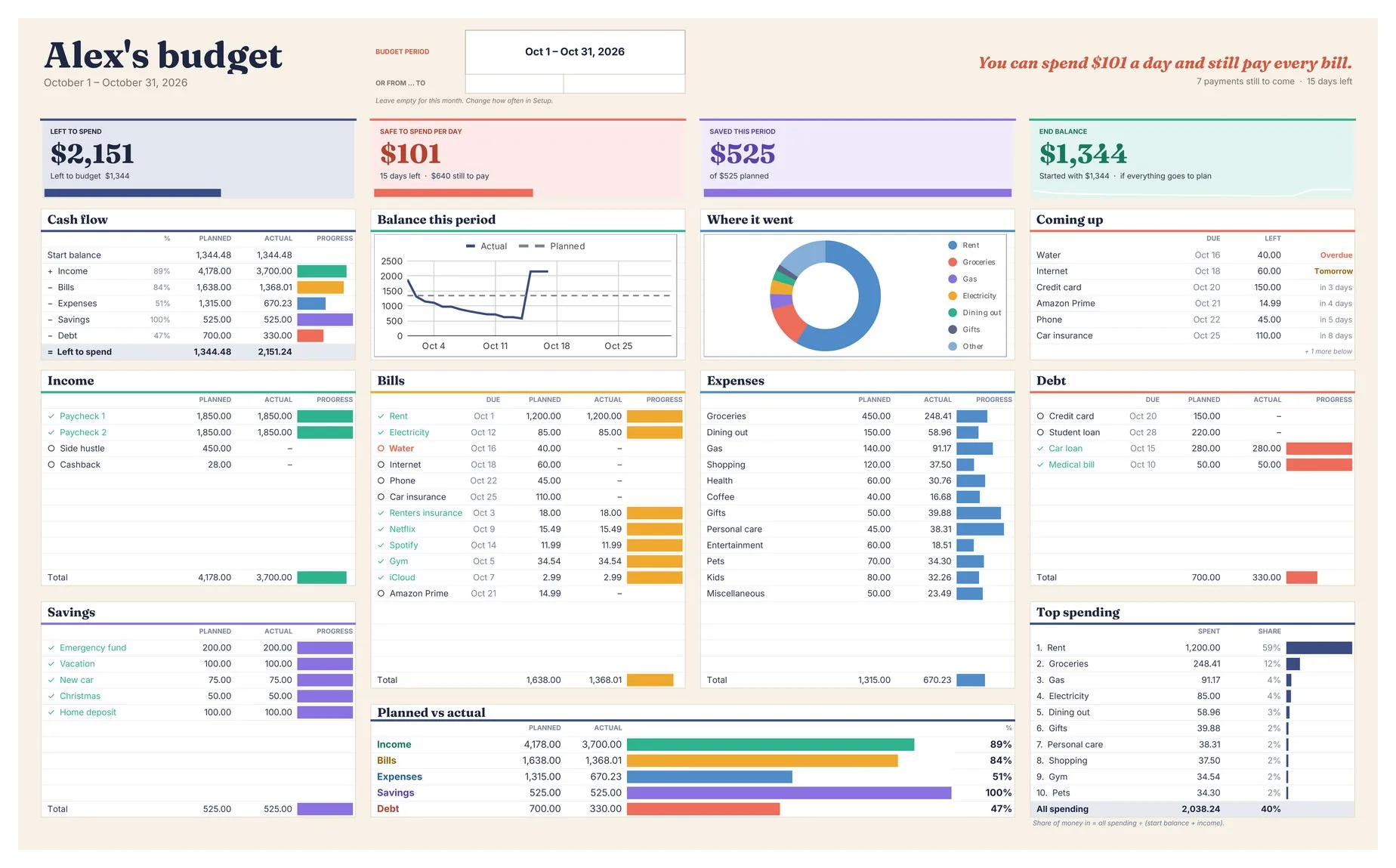
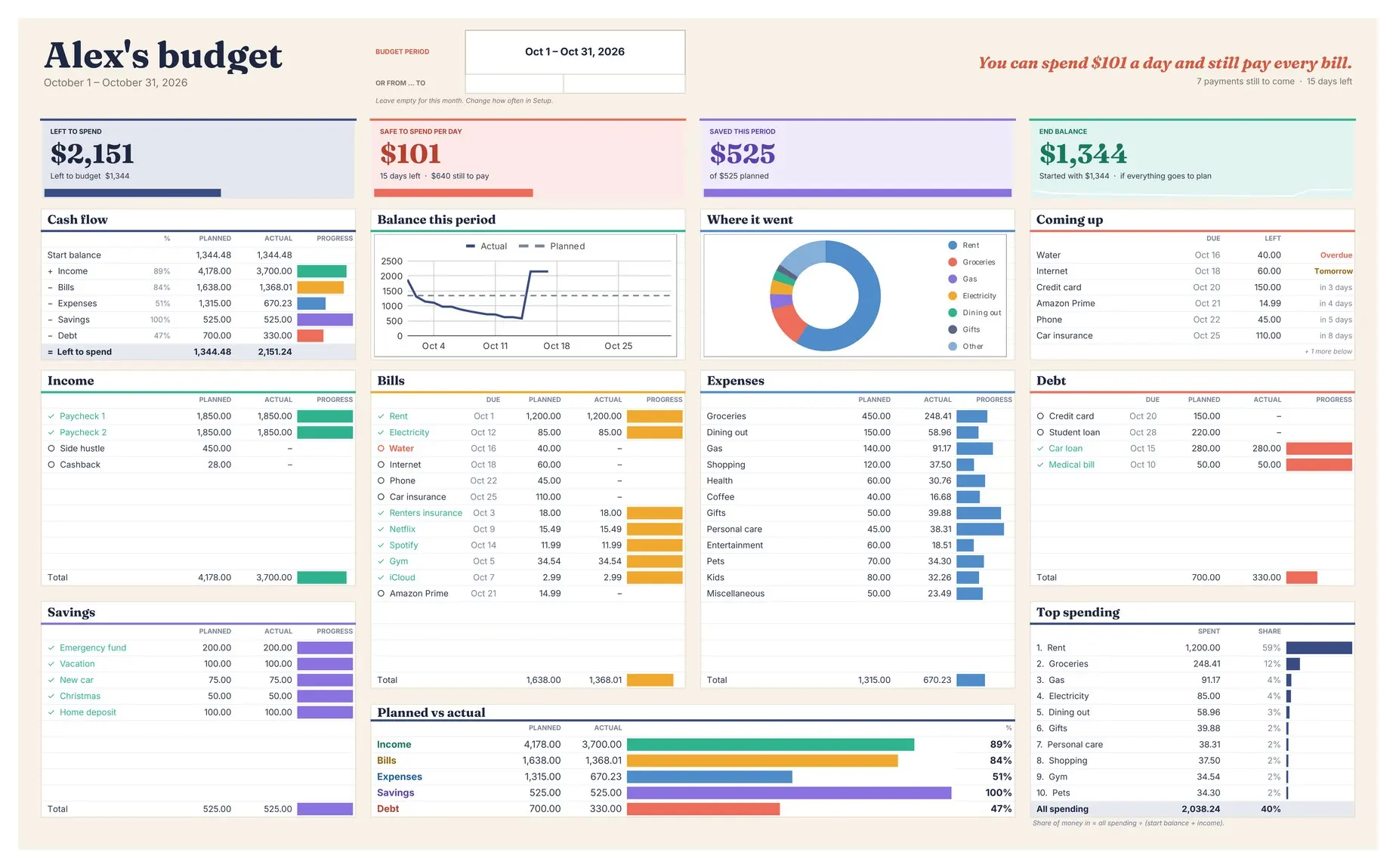
Safe to spend per day.
"You can spend $101 a day and still pay every bill." Left to spend, saved, end balance and what's coming up, for any week, paycheck or month you pick.
The Budget tab
Budget
The Simple Budget · for Google Sheets
The Simple Budget is a one-tab budget for Google Sheets that does the work for you. You type your categories once in Setup and log what you spend in Transactions. The Budget tab fills itself for any period you pick, carries your balance over, ticks your bills when you pay them and shows what's safe to spend per day.
Instant download · Pay once · Light + dark editions
"You can spend $101 a day and still pay every bill." Left to spend, saved, end balance and what's coming up, for any week, paycheck or month you pick.
The Budget tab
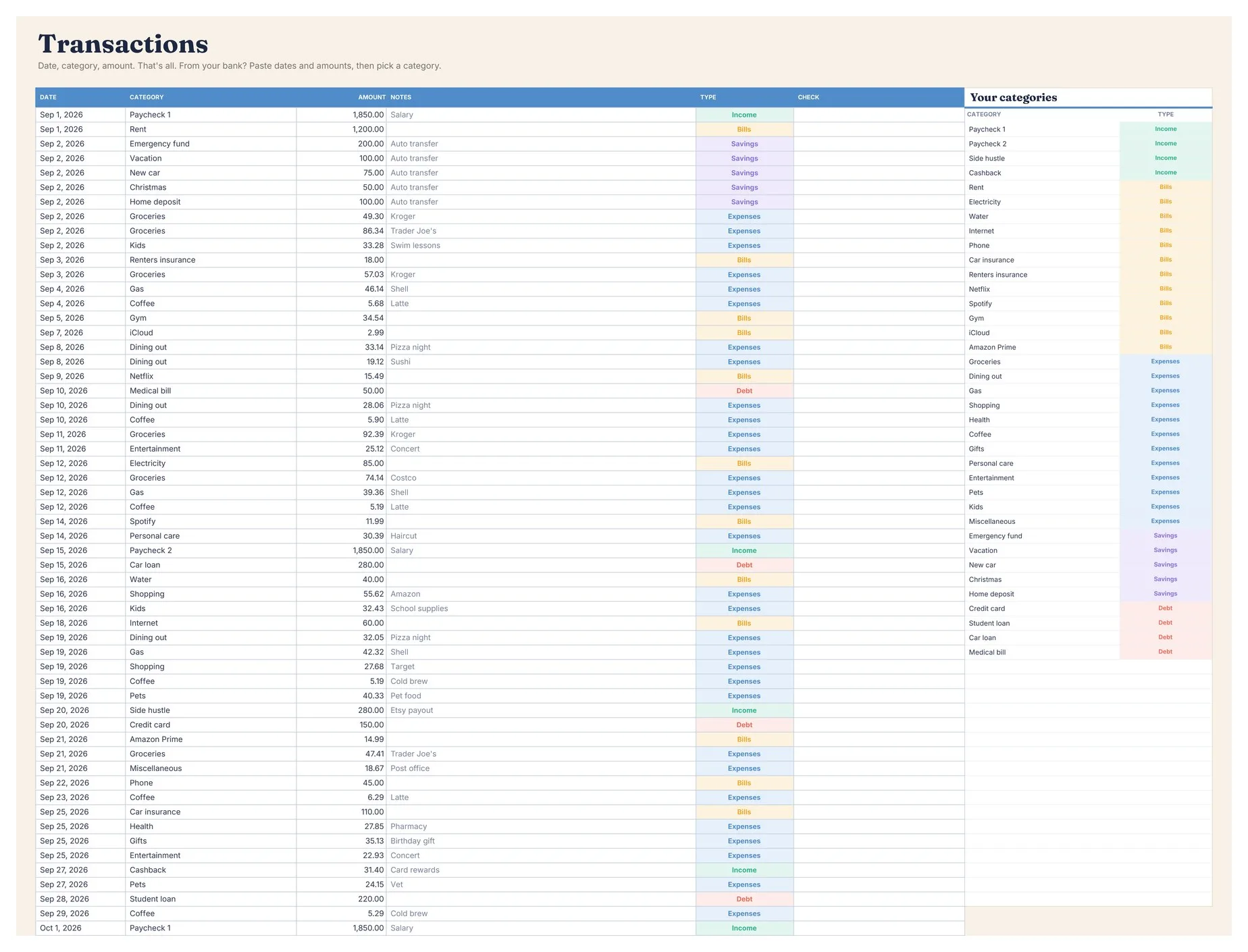
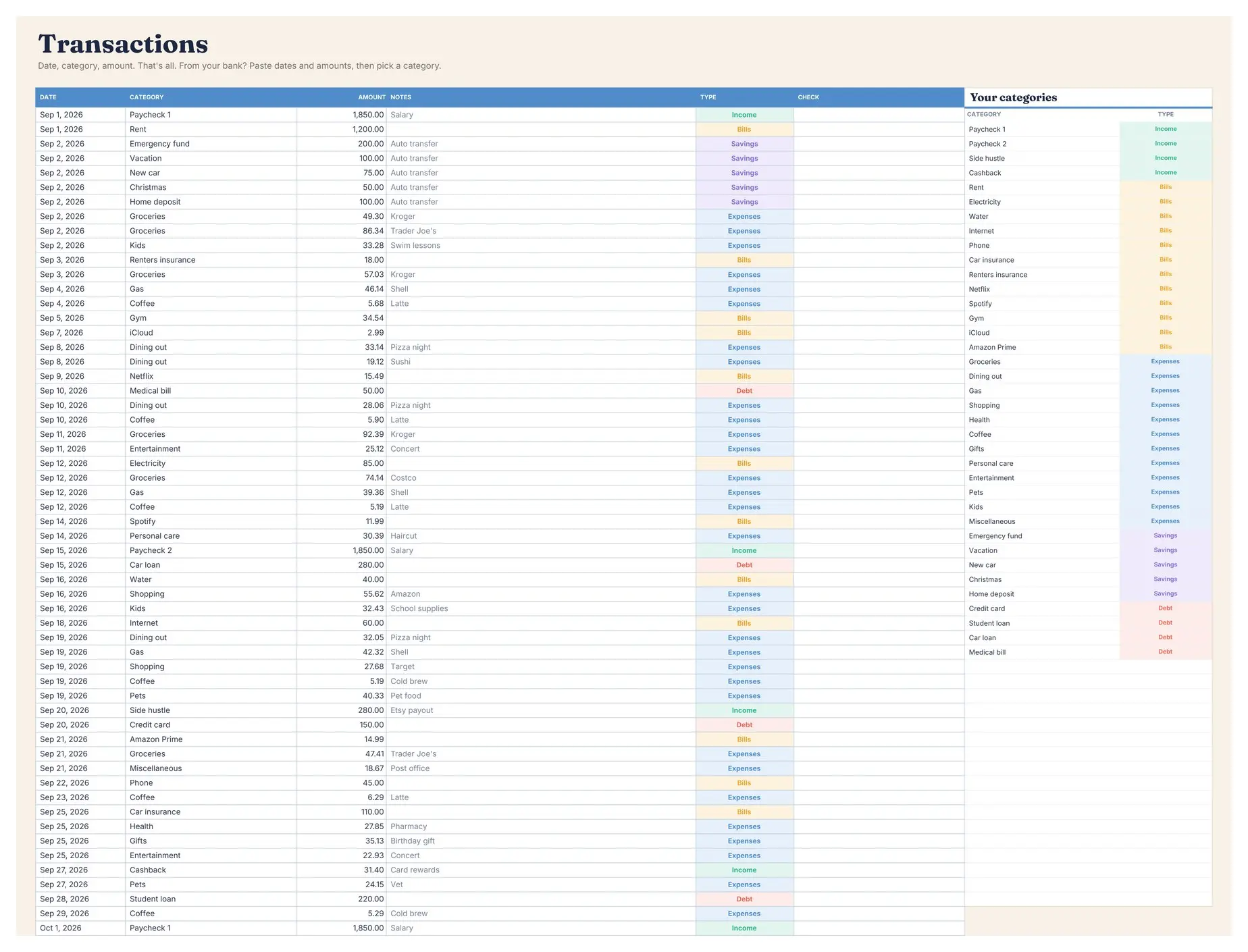
Categories once in Setup, spending in Transactions. Bills tick themselves when you log them, overdue ones turn coral. No new tab per month.
The Transactions tab
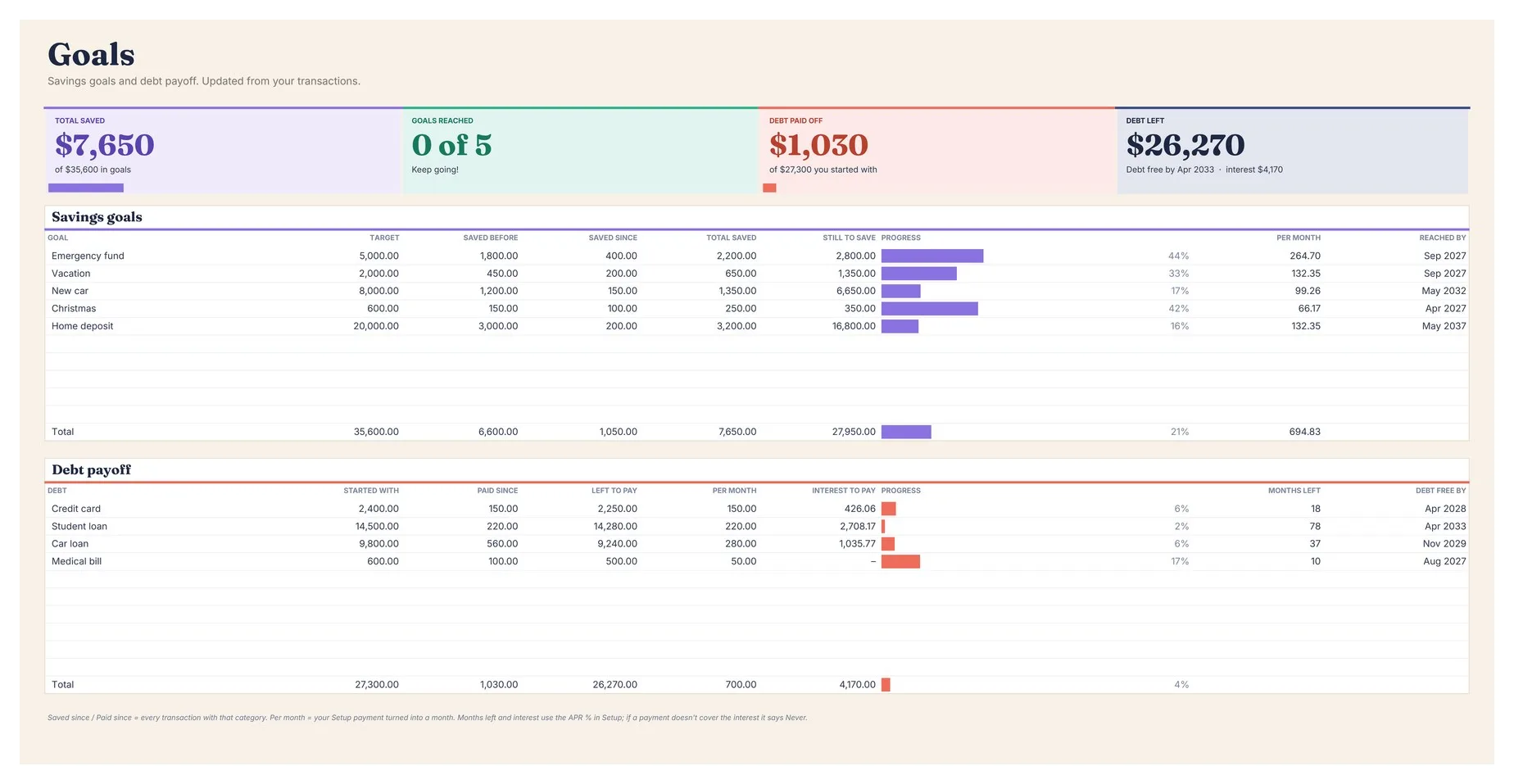
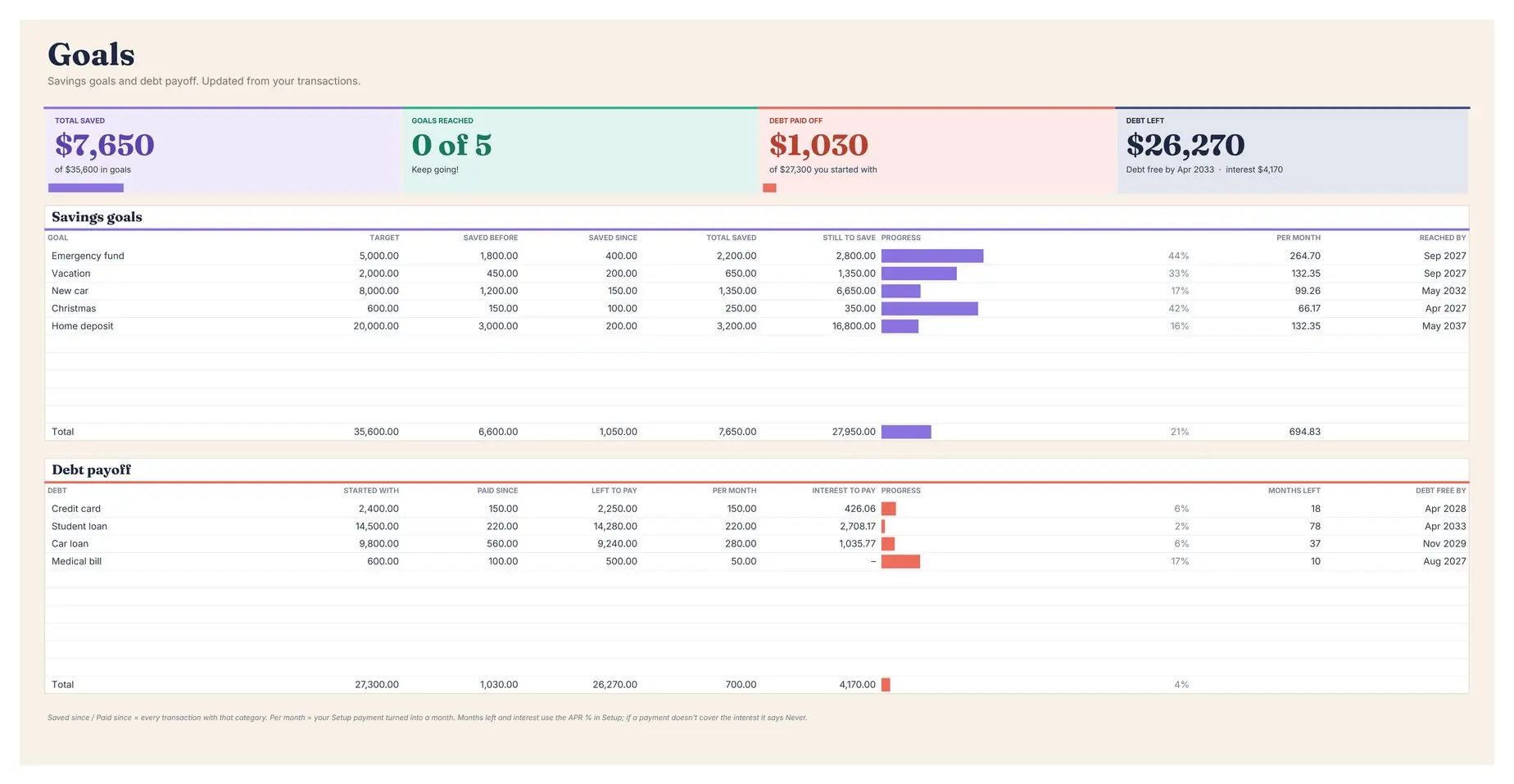
Savings goals with a reached-by date and debt payoff with interest, from the same log.
The Goals tab
15 seconds
Real use, no editing tricks: log a purchase and watch everything update.
Open the example yourself4 screens from the filled-in example. You type in only a couple of them; the rest fill themselves.
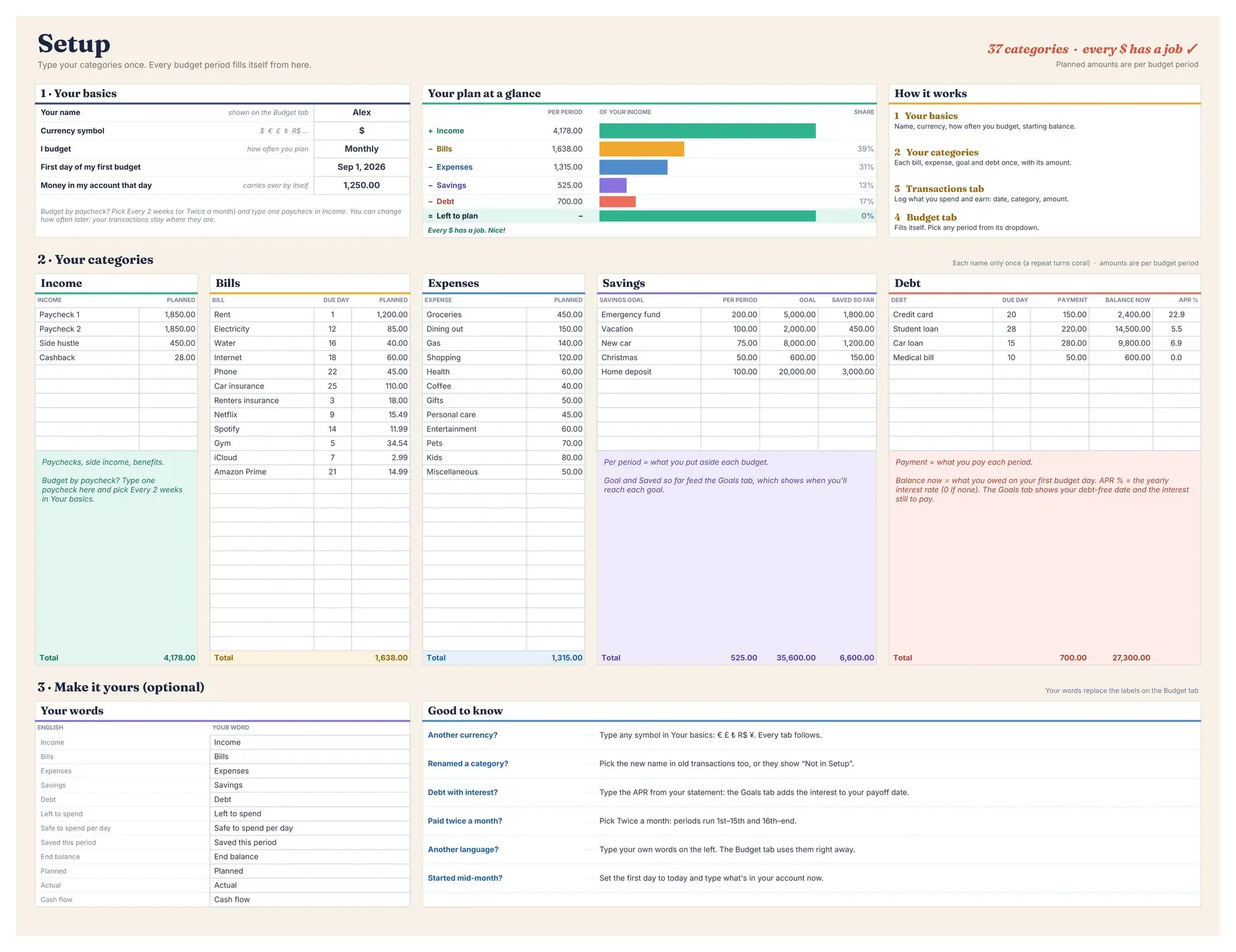
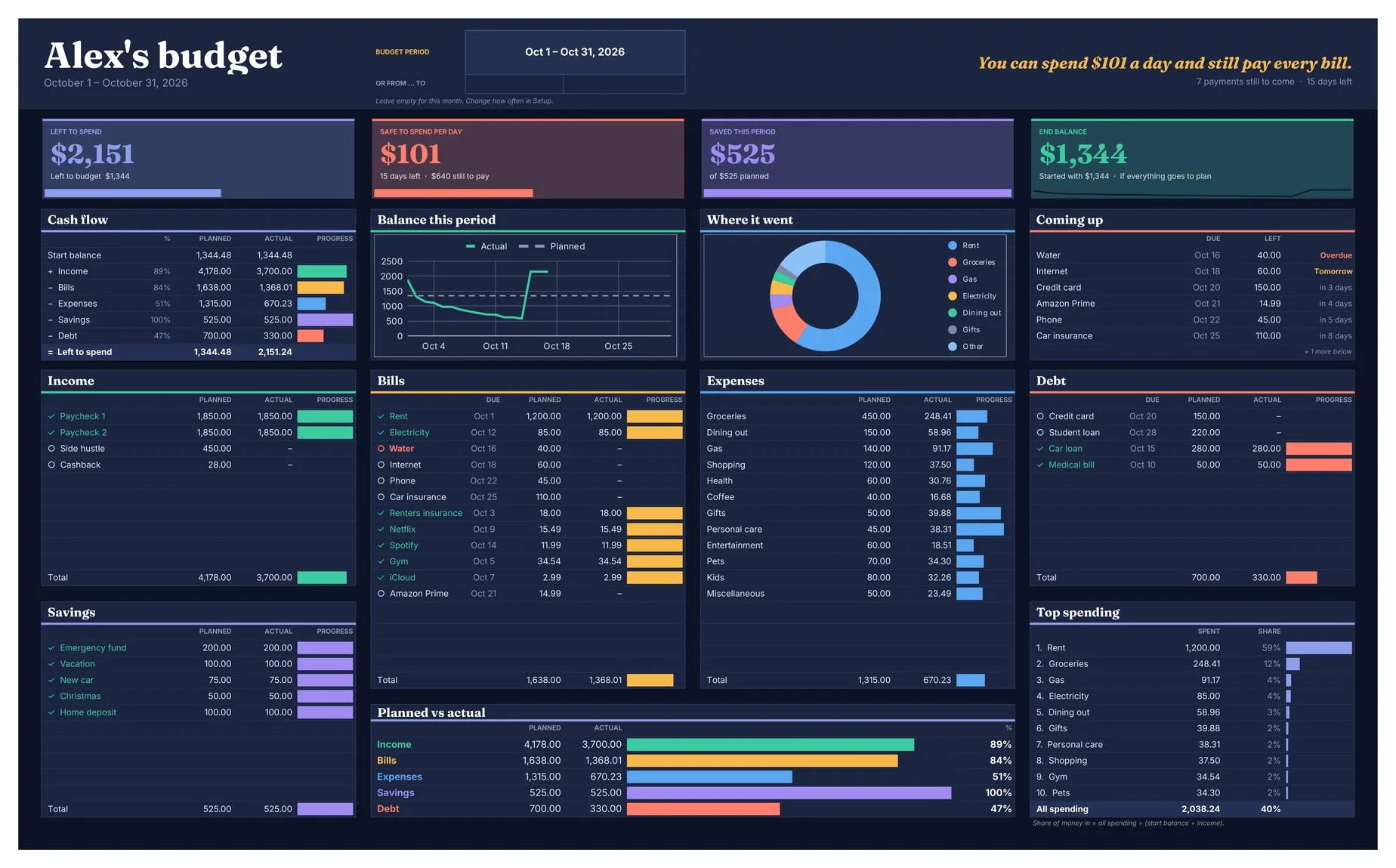
Same template, two looks. Each is its own Etsy listing.
More in Help, or message us on Etsy.
A free Google account. It works in Google Sheets on a computer, phone or tablet (free Google Sheets app). It doesn't work in Excel or Apple Numbers.
Instant download on Etsy: a PDF with your MAKE MY COPY link and a step-by-step user manual. Click the link, sign in to Google, and the template is yours.
Same template, same features, two looks. Each edition is its own Etsy listing, so pick the one you like. Preview both with the switch at the top of this page.
Yes. In Google Sheets, open File > Settings and choose your locale: money follows it.
No. You pay once and the copy is yours to keep.
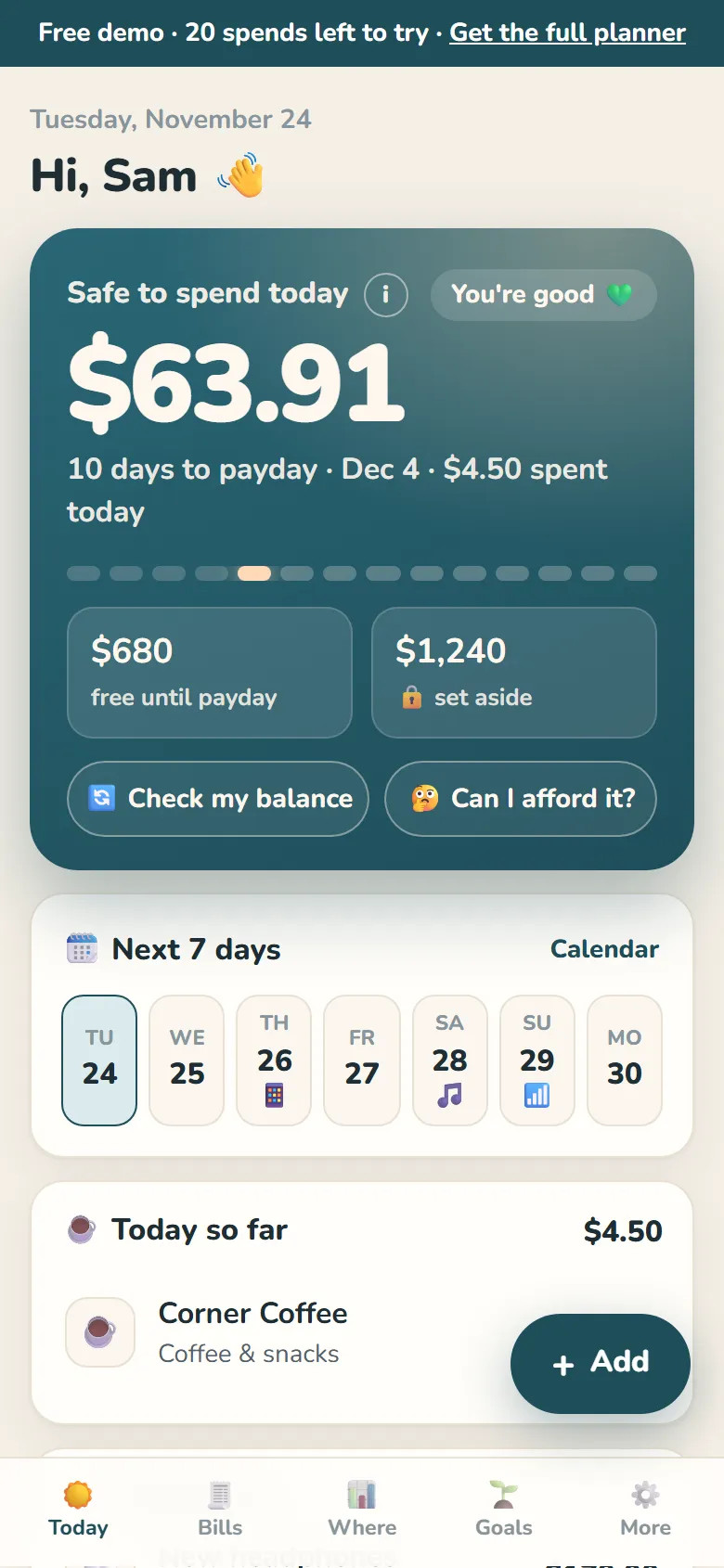
Same idea, calmer on a phone: one-tap logging, works offline, no Google account needed.