Skip to content
tiny tidy See all apps

The Couples Budget · for Google Sheets

Who owes whom? One number, always up to date.

The Couples Budget is a couples budget spreadsheet for Google Sheets. Each of you logs what you pay, it splits every shared cost fairly (50/50, by income, or your own %) and shows who owes whom in one number. Yours, mine and ours, side by side.

Instant download · Pay once · Light + dark editions

Month · The Couples Budget
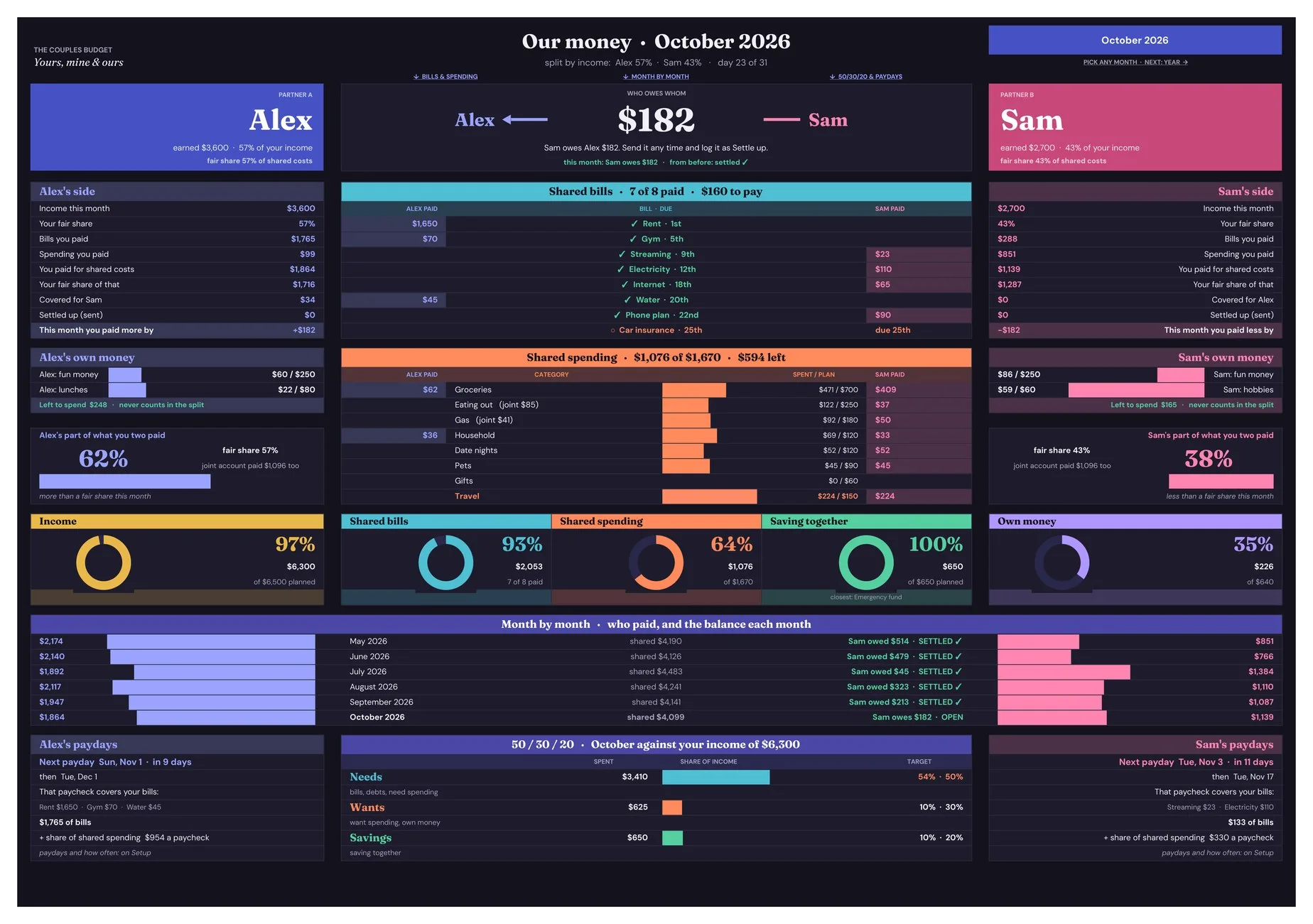
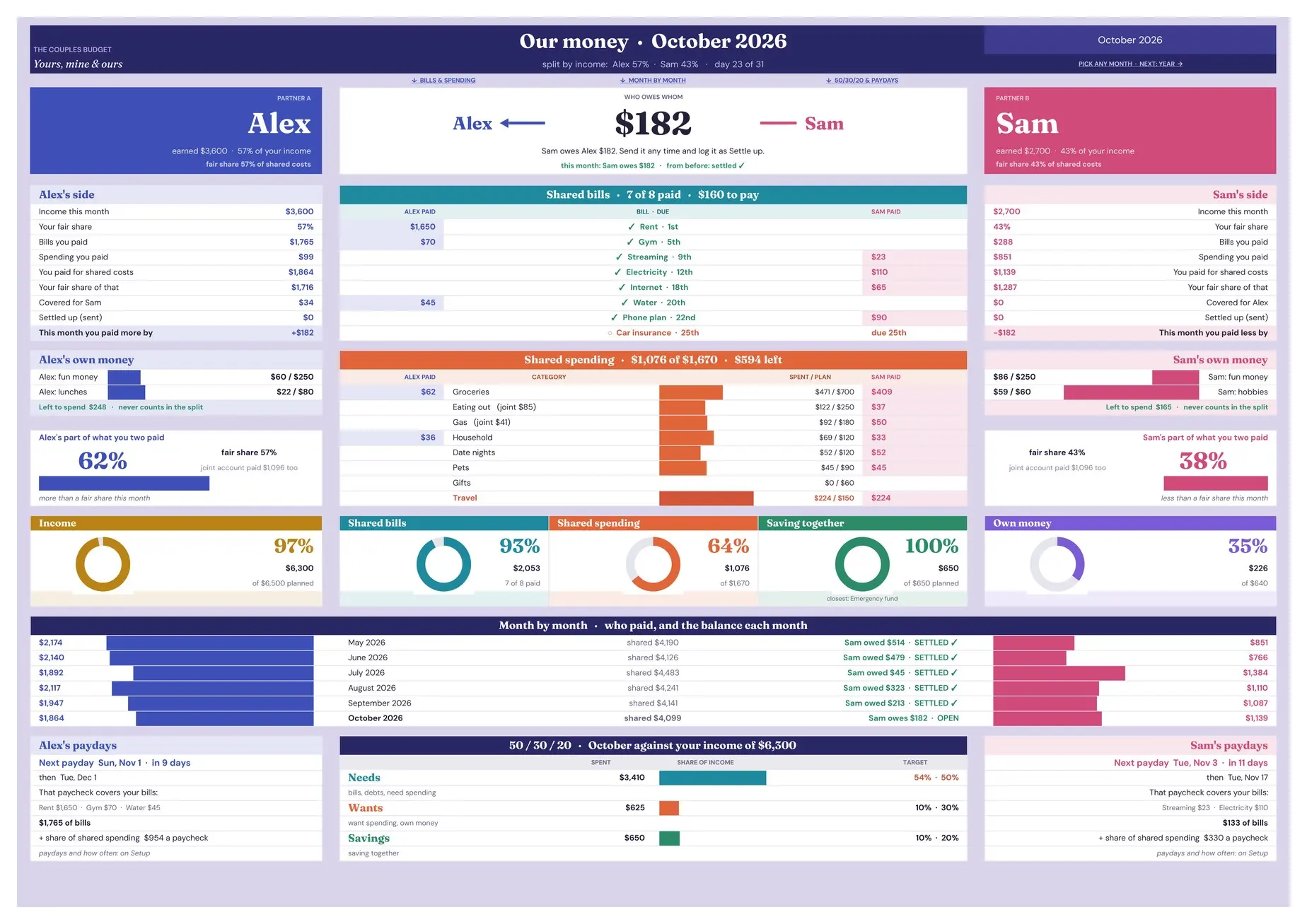
The Couples Budget: Month tab, light edition
The Couples Budget: Month tab, dark edition
  • Yours, mine, ours
  • 50/50 or by income
  • Type in 2 places
  • Any currency
  • Light + dark

Who owes whom, on the first screen.

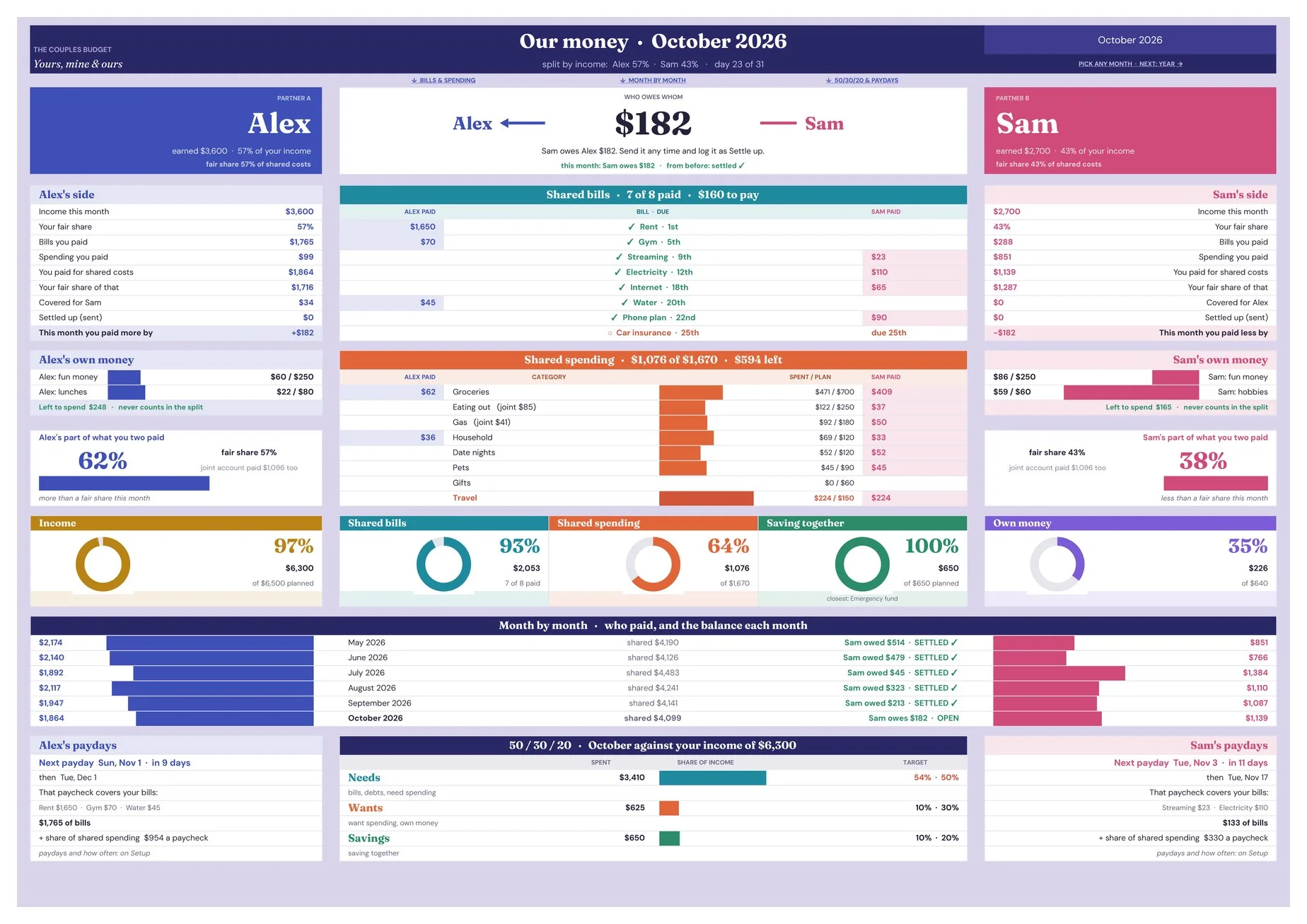
Each of you logs what you pay. The Month tab shows who owes whom in one number, with the amount to settle up and the last 6 months settled or open.

The Month tab

Month
The Couples Budget: Month tab

A fair split, your way.

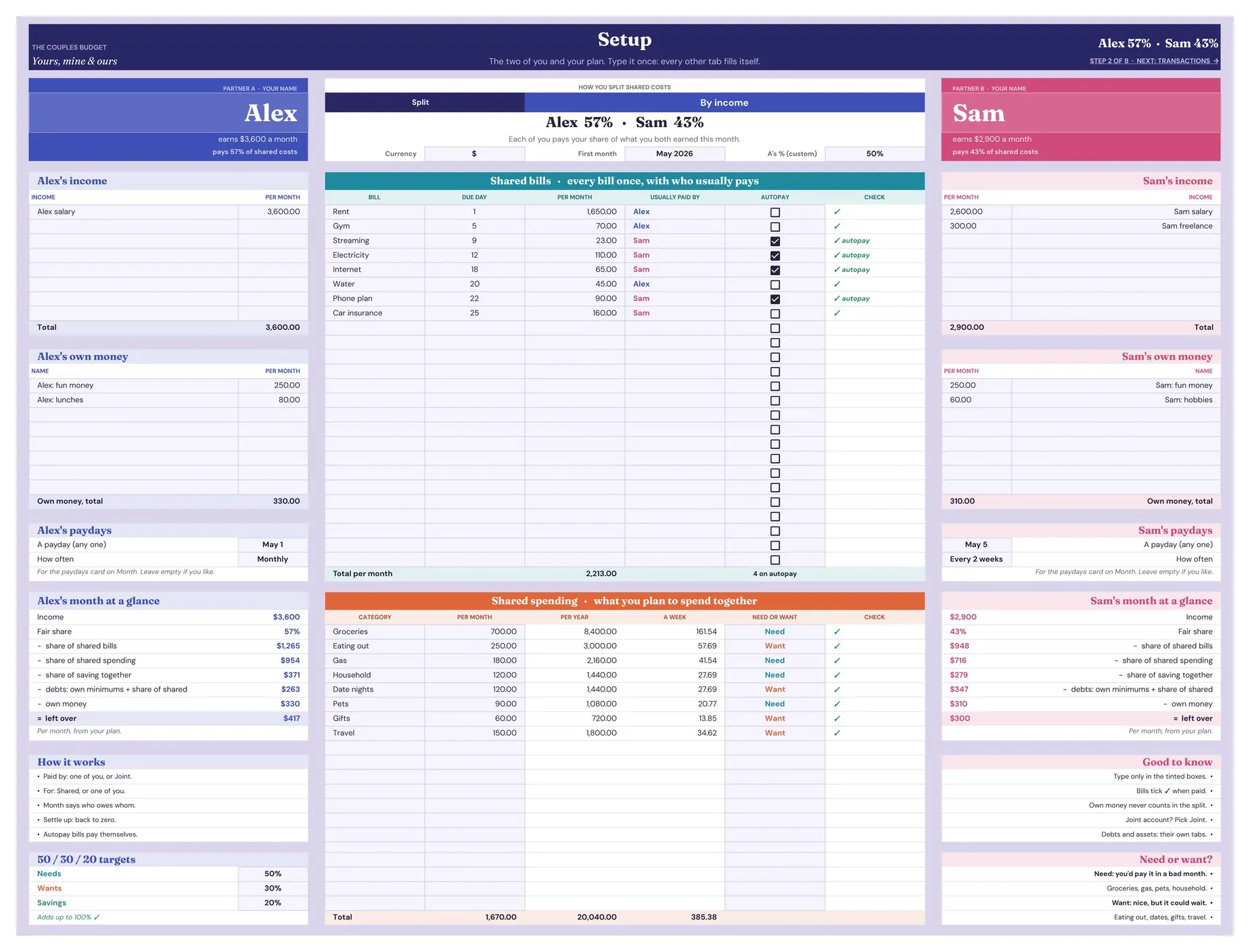
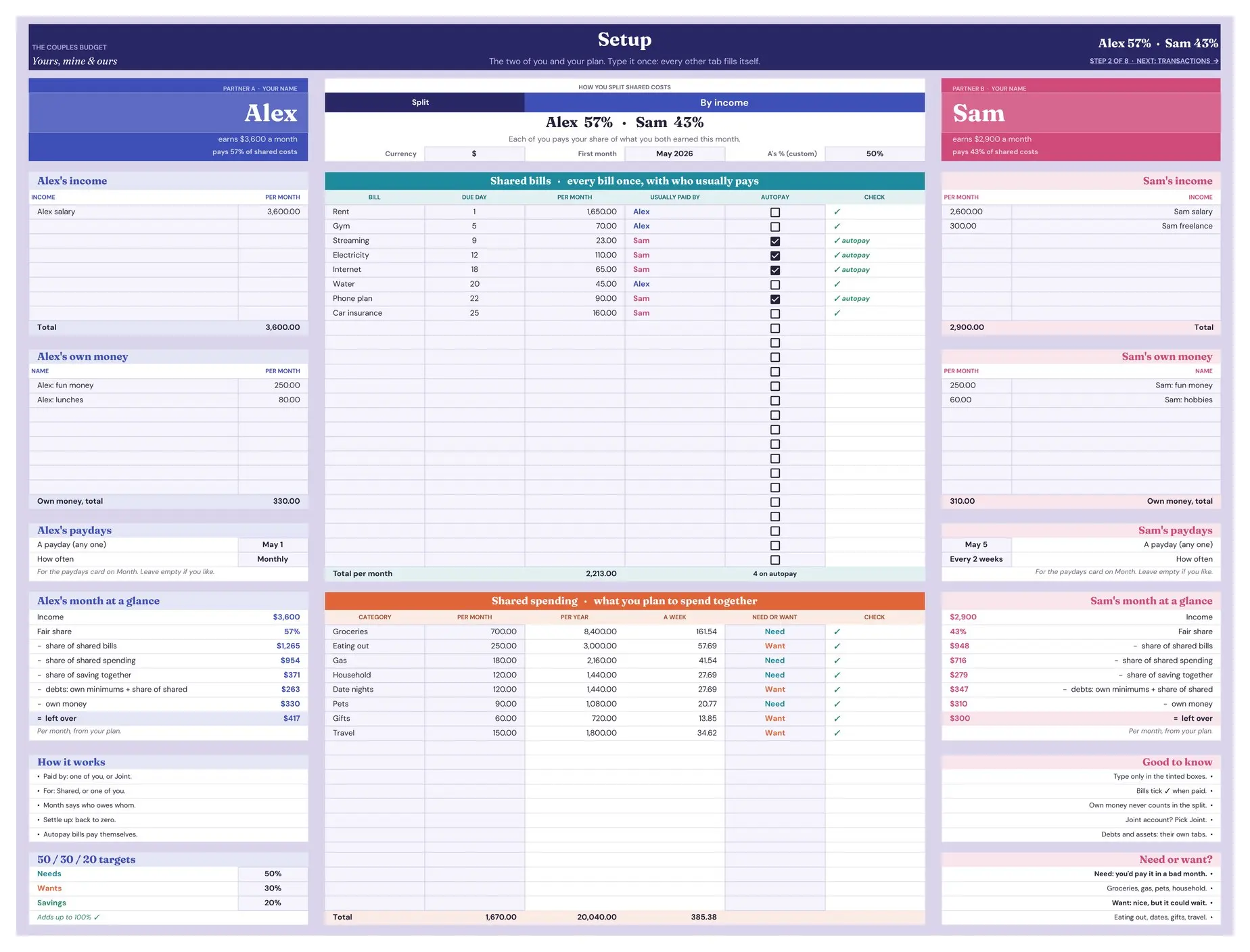
50/50, by income (from what each of you really earned that month) or your own %. Joint account payments count for both; own money never counts in the split.

The Setup tab
Setup
The Couples Budget: Setup tab

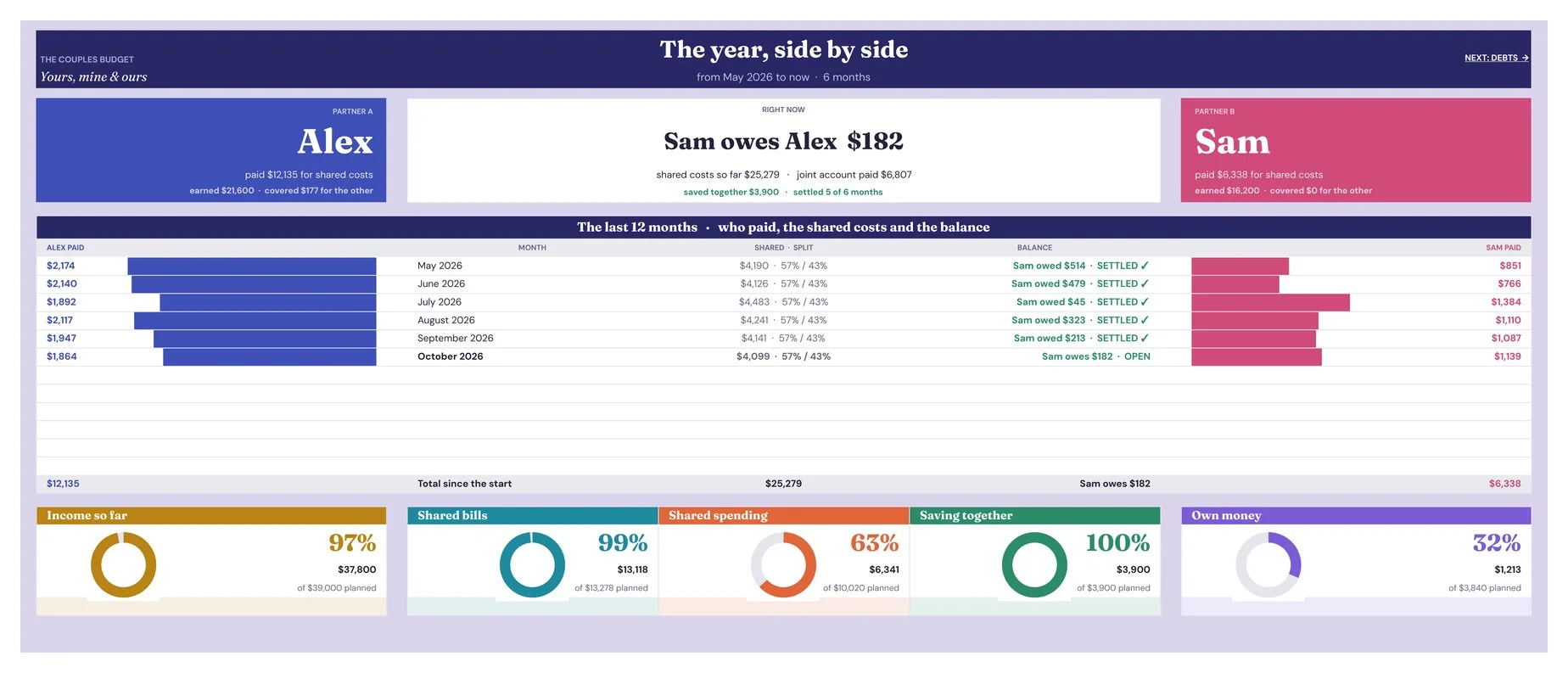
Yours, mine and ours, side by side.

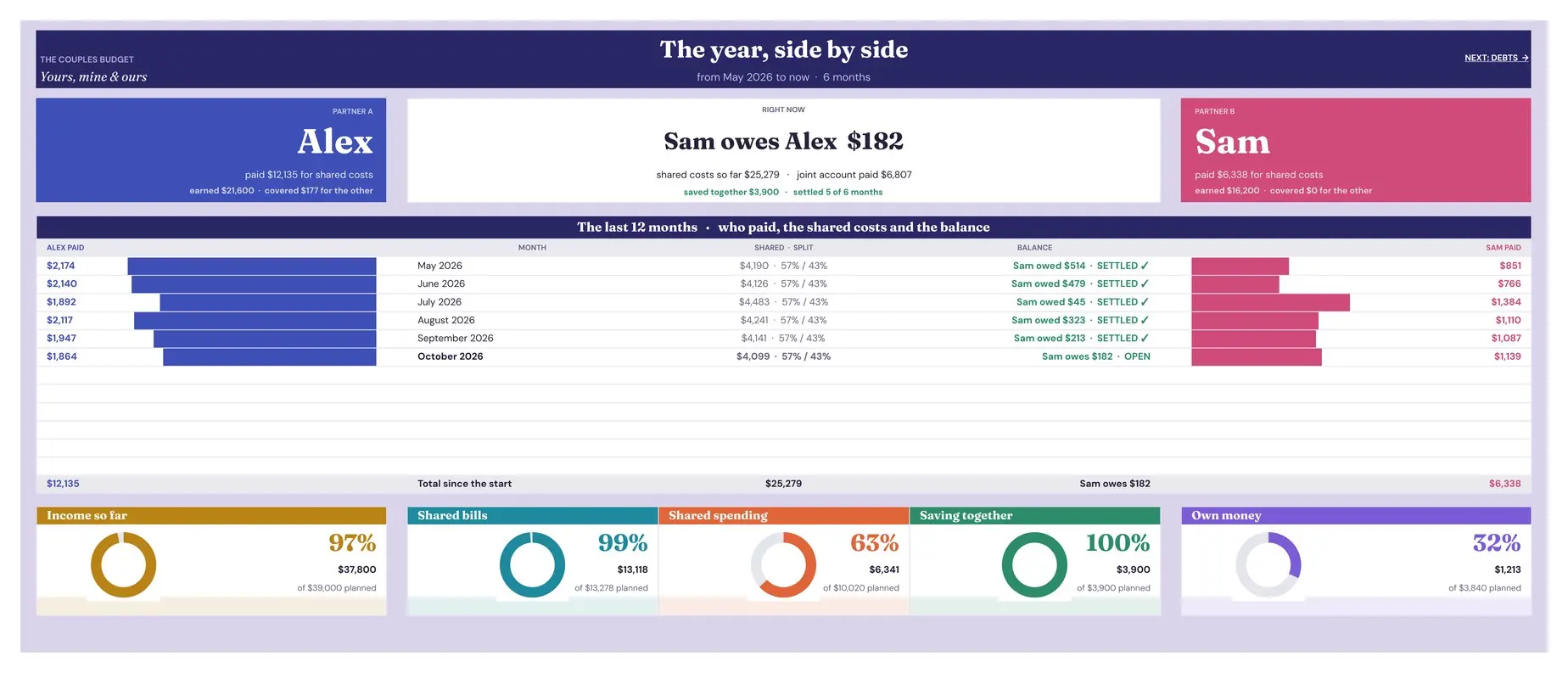
Partner A on the left, B on the right, what you share in the middle: on every tab. Plus shared debts, net worth and the whole year.

The Year tab
Year
The Couples Budget: Year tab

15 seconds

See it in action

Real use, no editing tricks: log a purchase and watch everything update.

Open the example yourself

Every tab, for real

7 screens from the filled-in example. You type in only a couple of them; the rest fill themselves.
The Couples Budget: Setup tab
SetupYour names, your split, each of your incomes and own money, paydays, up to 25 shared bills (with autopay), 20 spending categories with need or want, 10 savings goals, each partner's month at a glance, your 50/30/20 targets
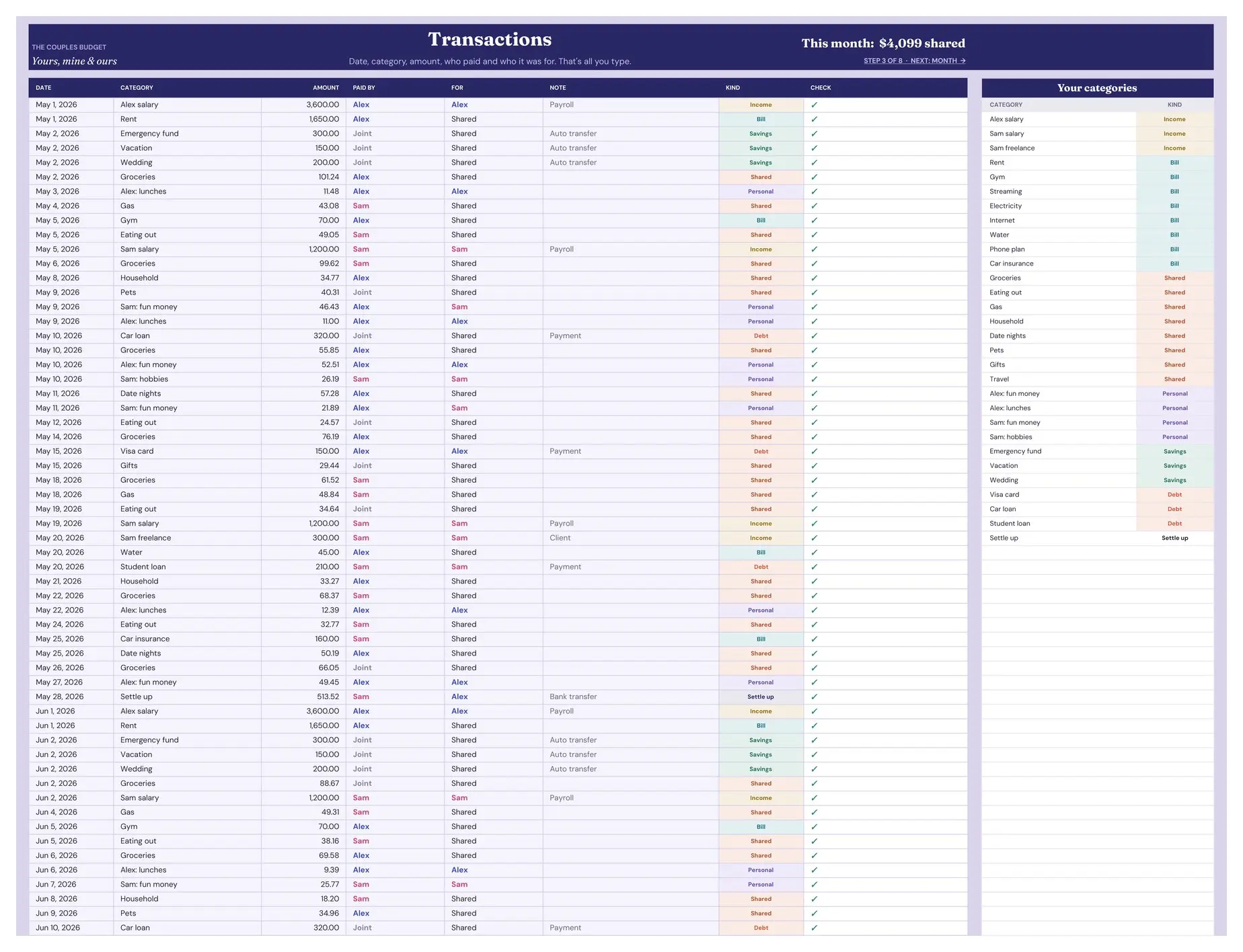
The Couples Budget: Transactions tab
TransactionsDate, category, amount, who paid, who it was for
The Couples Budget: Month tab
MonthPick any month
The Couples Budget: Year tab
YearThe last 12 months side by side, who paid, the shared costs, the balance, and year rings
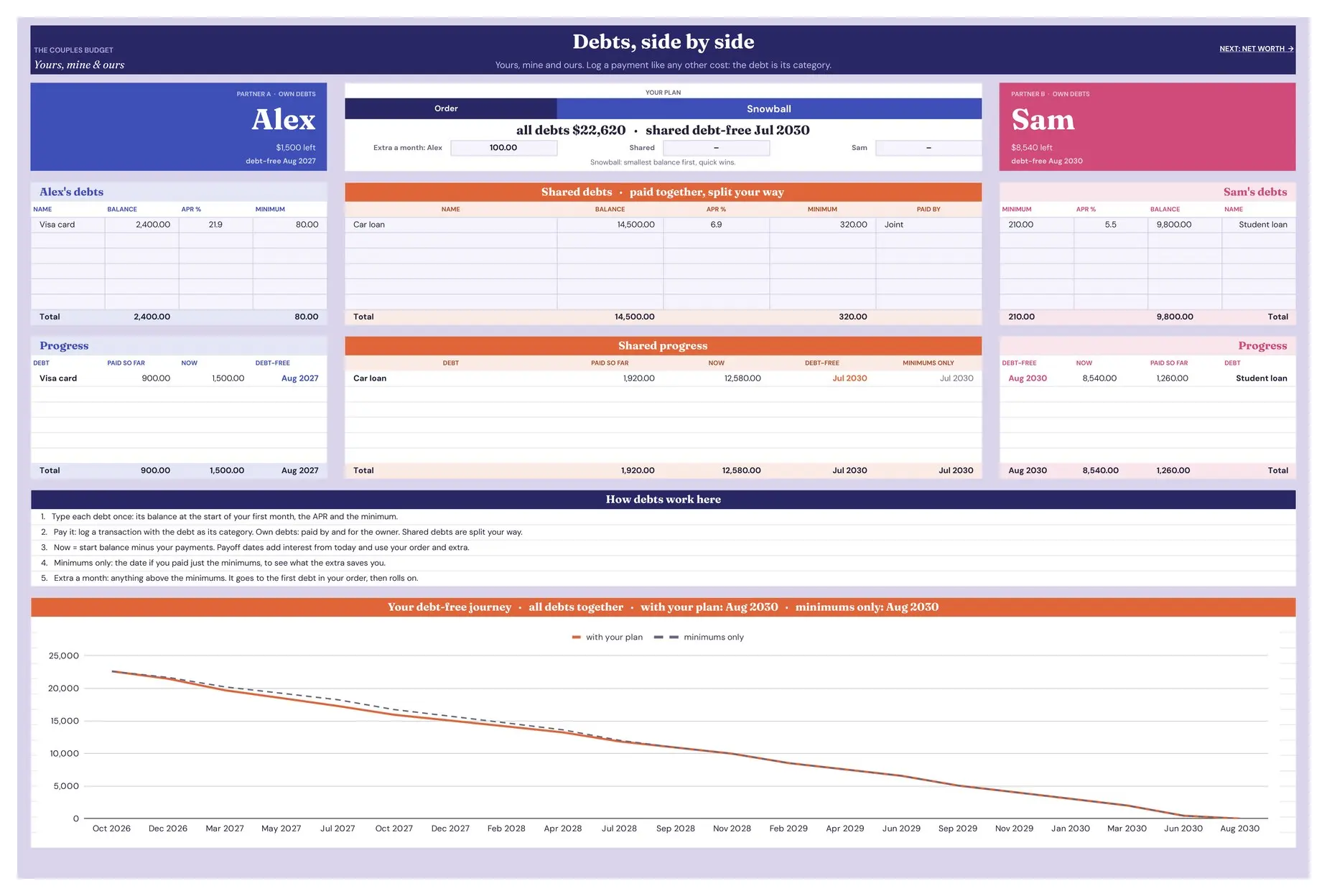
The Couples Budget: Debts tab
DebtsYour own and shared debts, snowball or avalanche, extra per month, payoff dates and the debt-free journey
The Couples Budget: Net worth tab
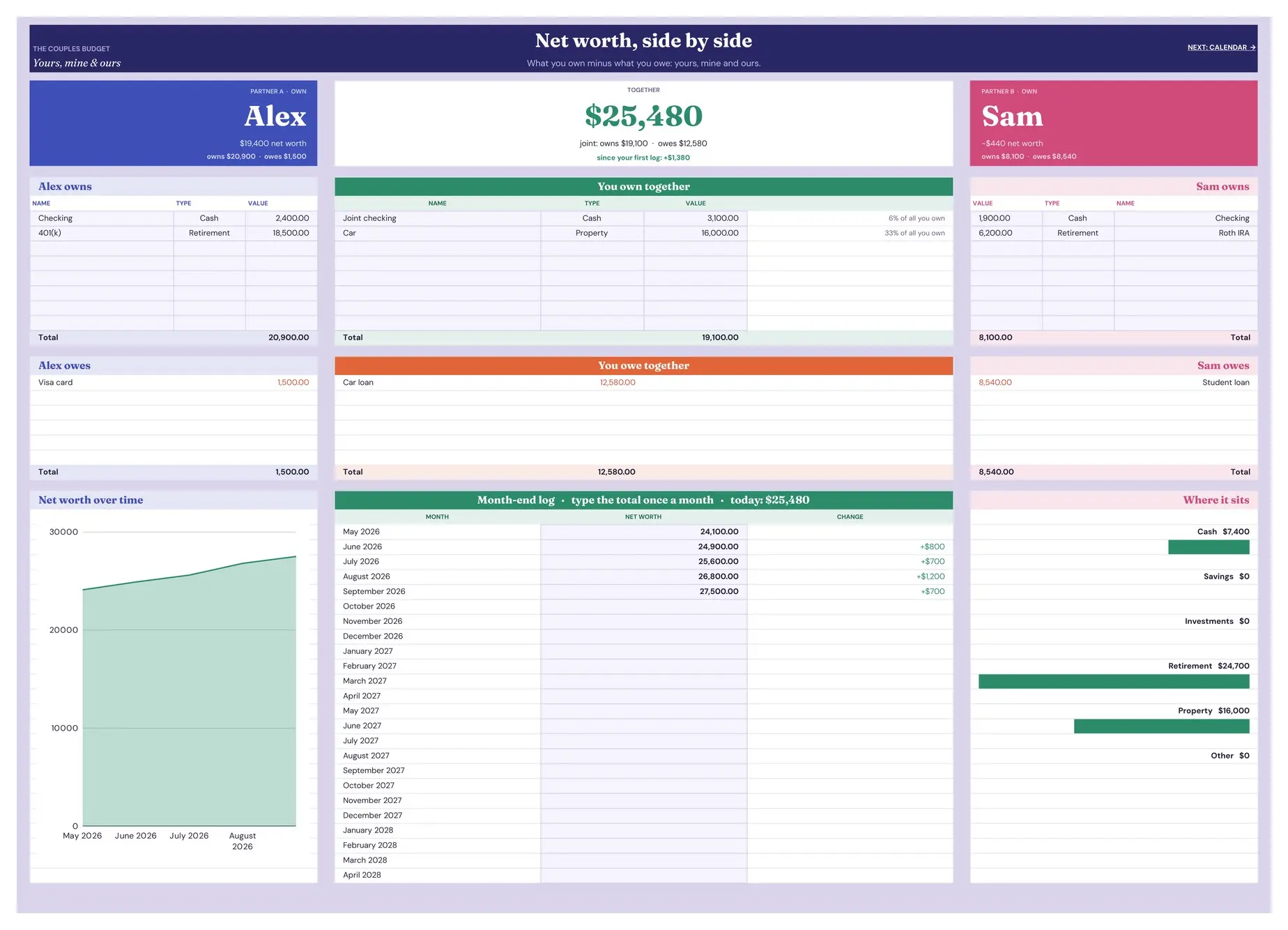
Net worthOwn and joint assets minus debts, a month-end log with a chart, and where your money sits
The Couples Budget: Calendar tab
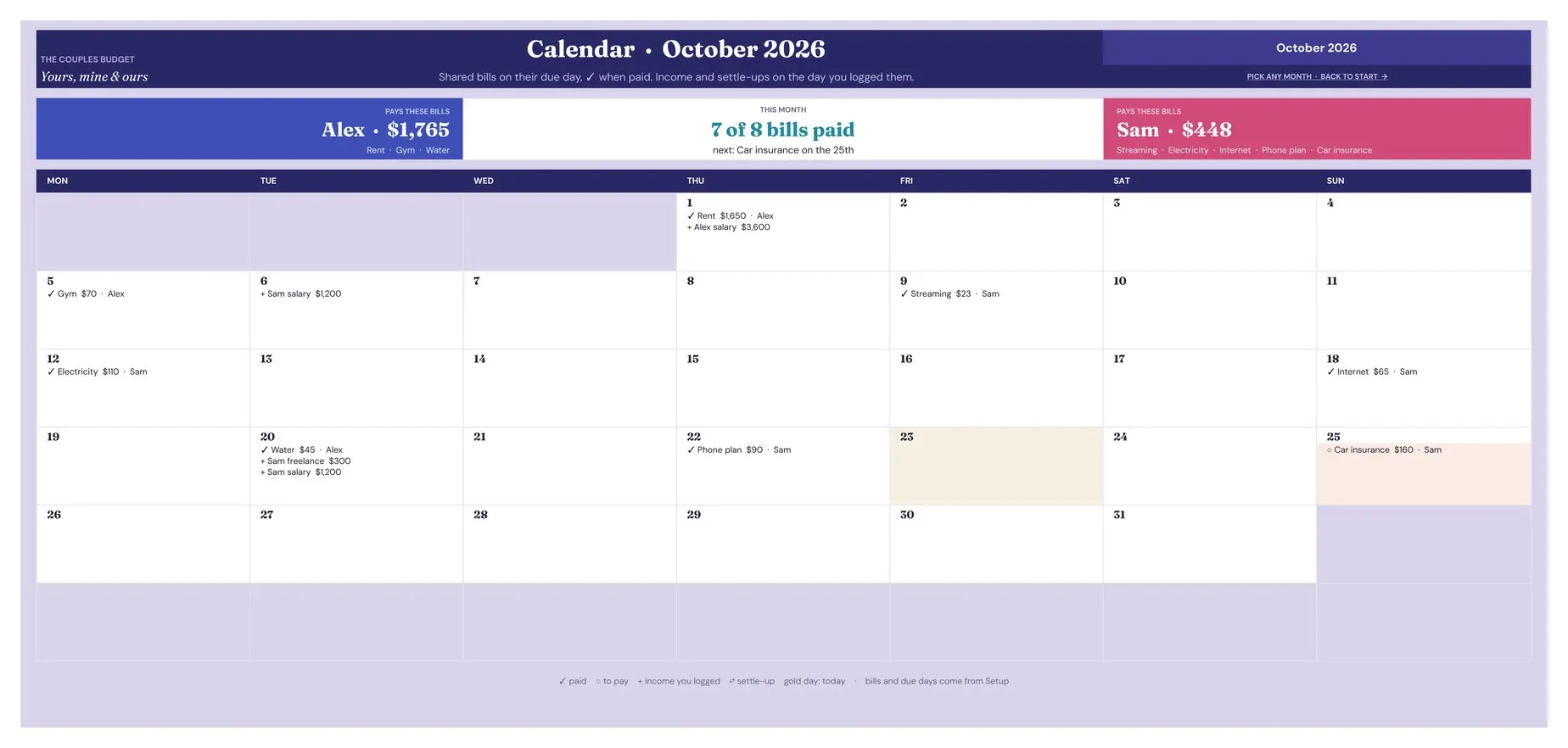
CalendarShared bills on their due day, who pays them, ✓ when paid, income and settle-ups too

Why it's different

  • Who owes whom on the first screen, in one number, with the amount to settle up
  • A fair split, your way: 50/50, by income (each month from what you really earned), or your own %
  • Type in only 2 places: Setup (once) and Transactions (as you go). No tab to copy per month
  • Partner A on the left, partner B on the right, what you share in the middle: every tab
  • Bills on autopay pay themselves on their due day and tick ✓ paid
  • Joint account? Pick Joint and it counts for both of you by your split
  • Covering for each other and settling up are one row each
  • Own money (fun money, lunches, hobbies) never counts in the split
  • Debts: yours, mine and ours, snowball or avalanche, debt-free dates and a debt-free journey chart
  • Net worth: what each of you owns and what you own together, minus your debts, with a month-end log
  • 50/30/20 check with your own targets, and each partner's paydays with the bills they cover

Pick your edition

Same template, two looks. Each is its own Etsy listing.

Questions

More in Help, or message us on Etsy.

What do I need to use it?

A free Google account. It works in Google Sheets on a computer, phone or tablet (free Google Sheets app). It doesn't work in Excel or Apple Numbers.

How do I get it after I buy?

Instant download on Etsy: a PDF with your MAKE MY COPY link and a step-by-step user manual. Click the link, sign in to Google, and the template is yours.

Light or dark: what's the difference?

Same template, same features, two looks. Each edition is its own Etsy listing, so pick the one you like. Preview both with the switch at the top of this page.

Can I use my own currency?

Yes. In Google Sheets, open File > Settings and choose your locale: money follows it.

Is it a subscription?

No. You pay once and the copy is yours to keep.

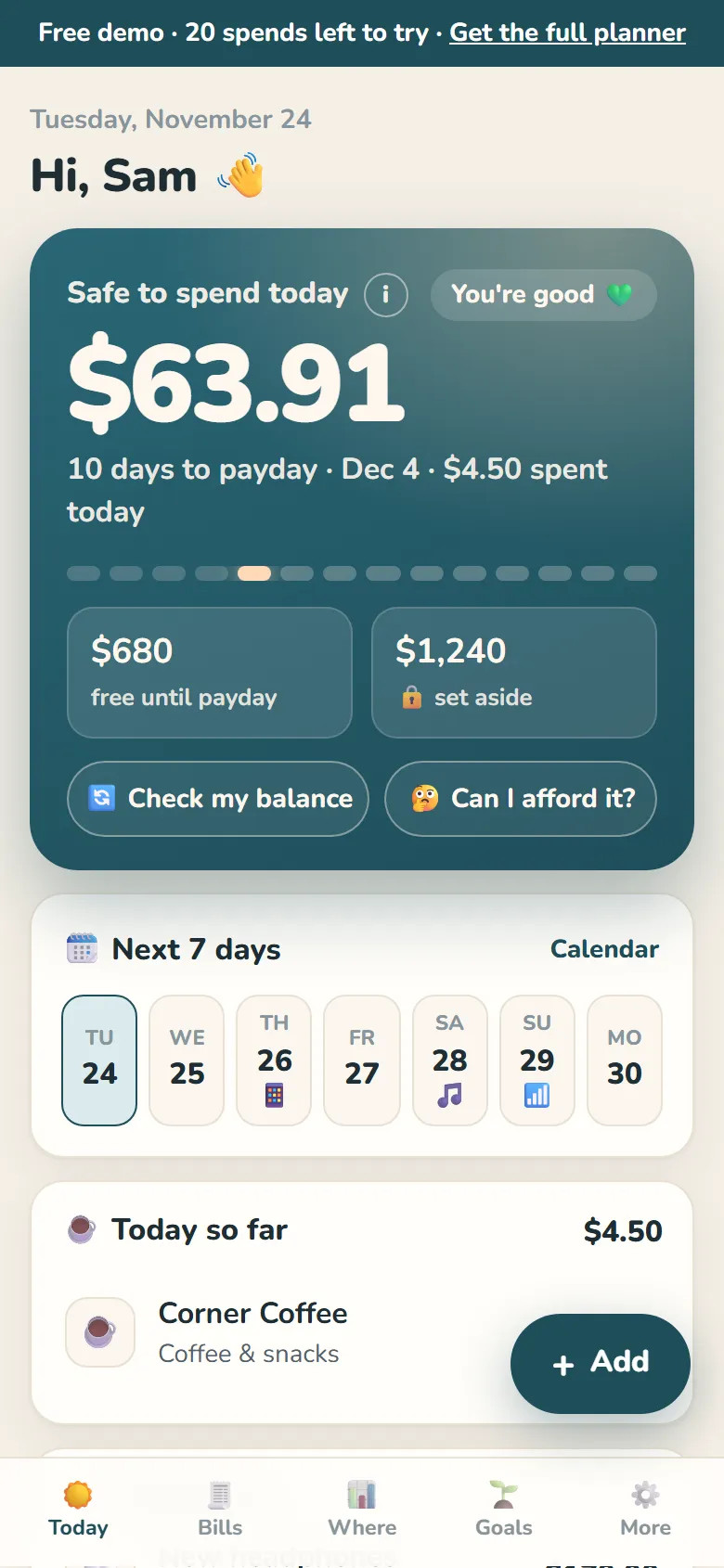
Rather have an app?

Same idea, calmer on a phone: one-tap logging, works offline, no Google account needed.
The Couples BudgetGet it on Etsy